Open-source self-hosted
MITrun it yourself · bring a domain
- Complete Skill, one-tab gateway, and deployment guide
- Use your own Cloudflare account and domain
- No managed relay, email delivery, or support guarantee
02AI AGENT HANDOFF
Remote Login Relay
When an AI agent gets stuck at a QR code, verification code, or third-party consent page, it temporarily hands only that open Chrome tab to your phone. You type the password or code yourself. The AI gets no cookies, and it never sees your whole desktop.
01 / WORKFLOW
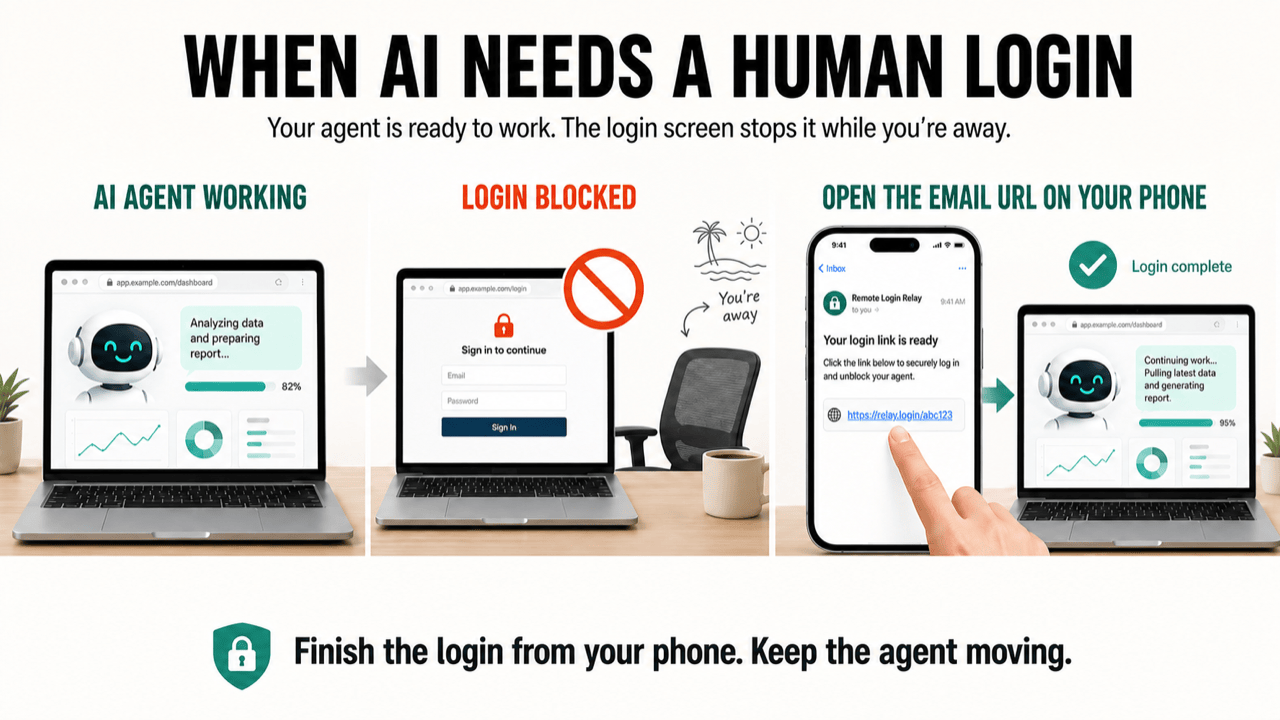
The agent matches only the Chrome tab involved in the current login task.
A phone link with a random temporary token is generated and expires automatically.
Tap, scan, type the password, or enter the verification code from your phone.
The agent verifies that the desktop tab reached the signed-in area, then stops the gateway and tunnel immediately.
02 / CHOOSE AN EDITION
Supports macOS + Chrome. Not supported: whole-machine control, use while the Mac sleeps, or permanently public access. Never forward the temporary link.
Cloud relays encrypted one-tab frames and input events; ToolArks does not store raw passwords, verification codes, or temporary links.
Support: [email protected]. Notifications come from [email protected], a send-only address that cannot receive replies.
One tab, one owner, one short session.
03 / NEXT